Every tool you need to run
flawless client intake.
CaseHug isn't a tool that happens to handle intake. It's purpose-built to make client intake and document collection the best part of your client's experience with your firm.
Document Collection Pipeline
Every document. Zero chasing.
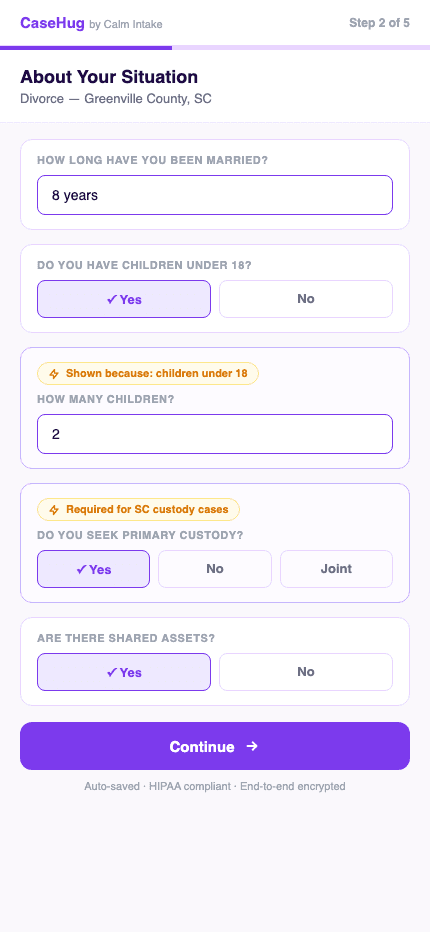
The average law firm chases clients for documents across 8-12 separate touchpoints — emails, phone calls, follow-up texts — before finally getting everything they need. CaseHug eliminates this entirely with a structured, guided document collection pipeline that clients actually complete.
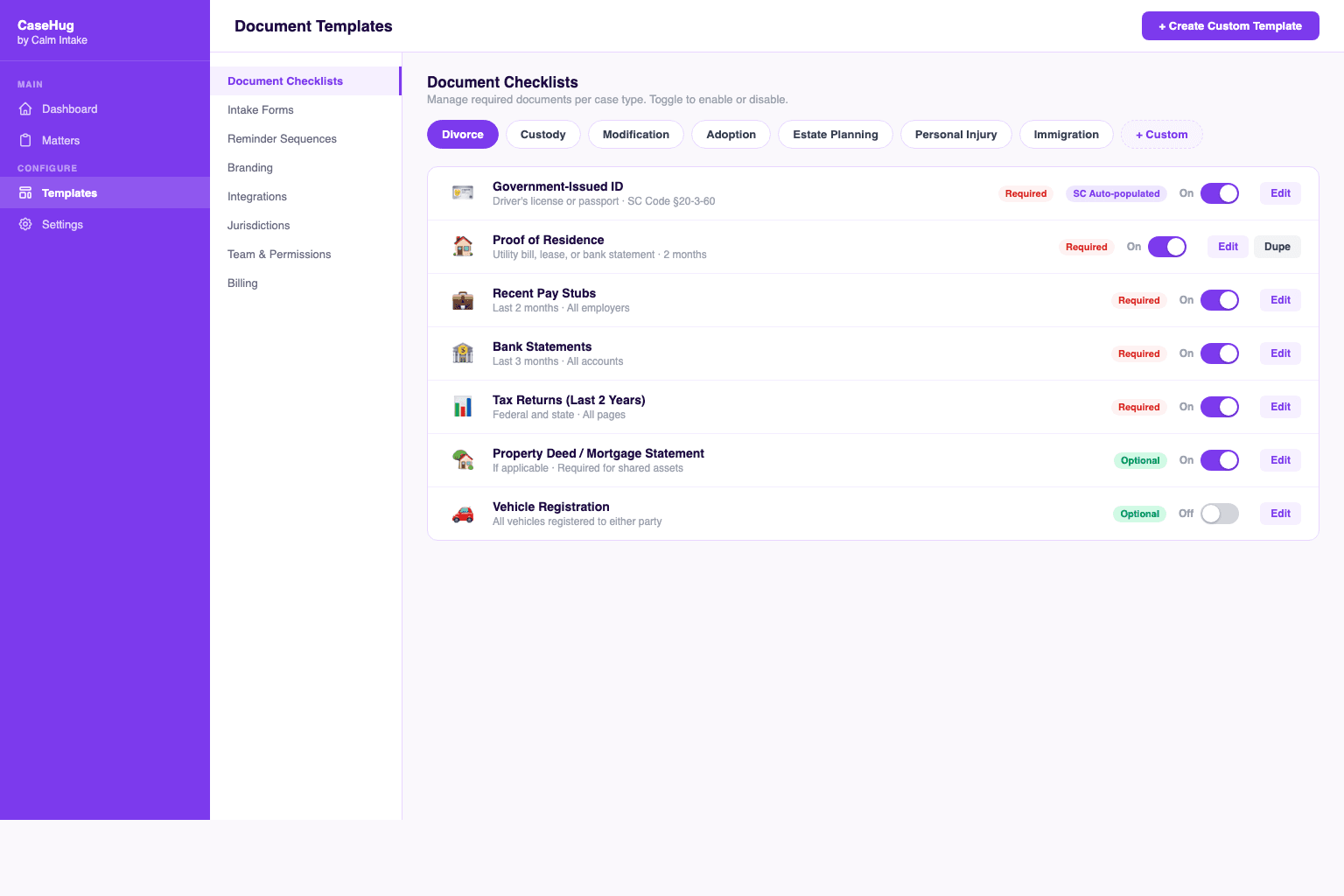
When you create a matter, CaseHug generates a personalized document checklist based on your case type, jurisdiction, and practice area configuration. Every item is clearly explained, with examples and tips so clients know exactly what you need and why. Upload progress is tracked in real-time in your dashboard.
Documents land in your review queue labeled, organized, and ready for approval. One click to accept. One click to request a correction with a specific message. Approved documents sync automatically to your practice management platform.
Key Benefits
- Personalized checklists per case type and jurisdiction
- Plain-English document descriptions with photo examples
- Real-time upload tracking in your dashboard
- One-click approval or rejection with custom messages
- Automatic organization and labeling of received files
- Supports photos, PDFs, and 40+ file formats
Smart Intake Forms
Forms that think before they ask.
Generic intake forms are the enemy of completion. They ask questions that don't apply. They use legal jargon clients don't understand. They show 40 fields when you only need 12. The result: clients abandon halfway through and never call back.
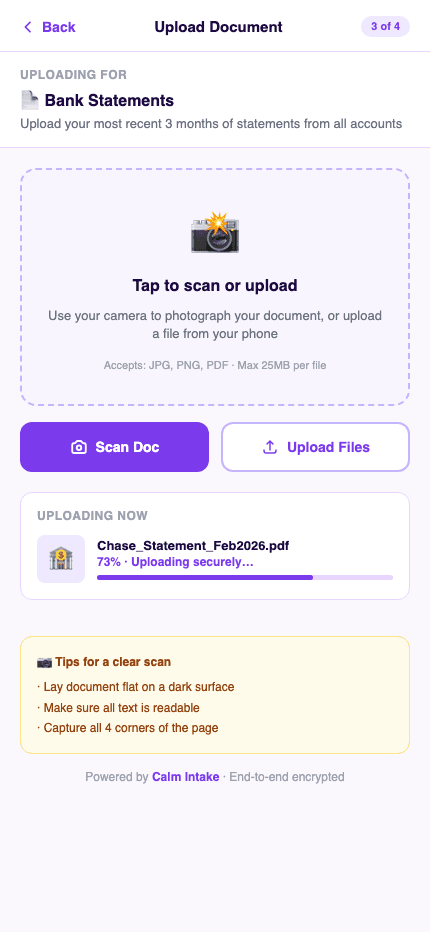
CaseHug's smart intake forms use conditional logic to show only what's relevant. Divorce with children looks different from divorce without. An injury claim with medical records needs different fields than one still in treatment. Forms adapt in real-time based on client answers — no unnecessary questions, no confusion.
You control everything. Customize field order, add practice-specific questions, set requirements, configure validation rules, and preview exactly what clients see. Templates for the most common case types are included and ready to use from day one.
Key Benefits
- Conditional logic — show only relevant questions
- Jurisdiction-aware field requirements
- Fully customizable — add, remove, reorder any field
- Built-in validation prevents incomplete submissions
- Pre-built templates for 20+ practice areas
- Live preview as you customize
Client Portal
A portal clients actually use.
The number one reason clients don't complete intake? The portal sucks. Login screens they've forgotten. Password reset loops. Upload buttons that don't work on mobile. Error messages that don't explain what went wrong. Clients give up, and you lose the case.
CaseHug's client portal is mobile-first from the ground up. There's no account to create, no password to remember. Clients receive a secure, time-limited link that opens directly to their personalized intake portal. They see exactly what's needed, in plain English, with visual progress tracking.
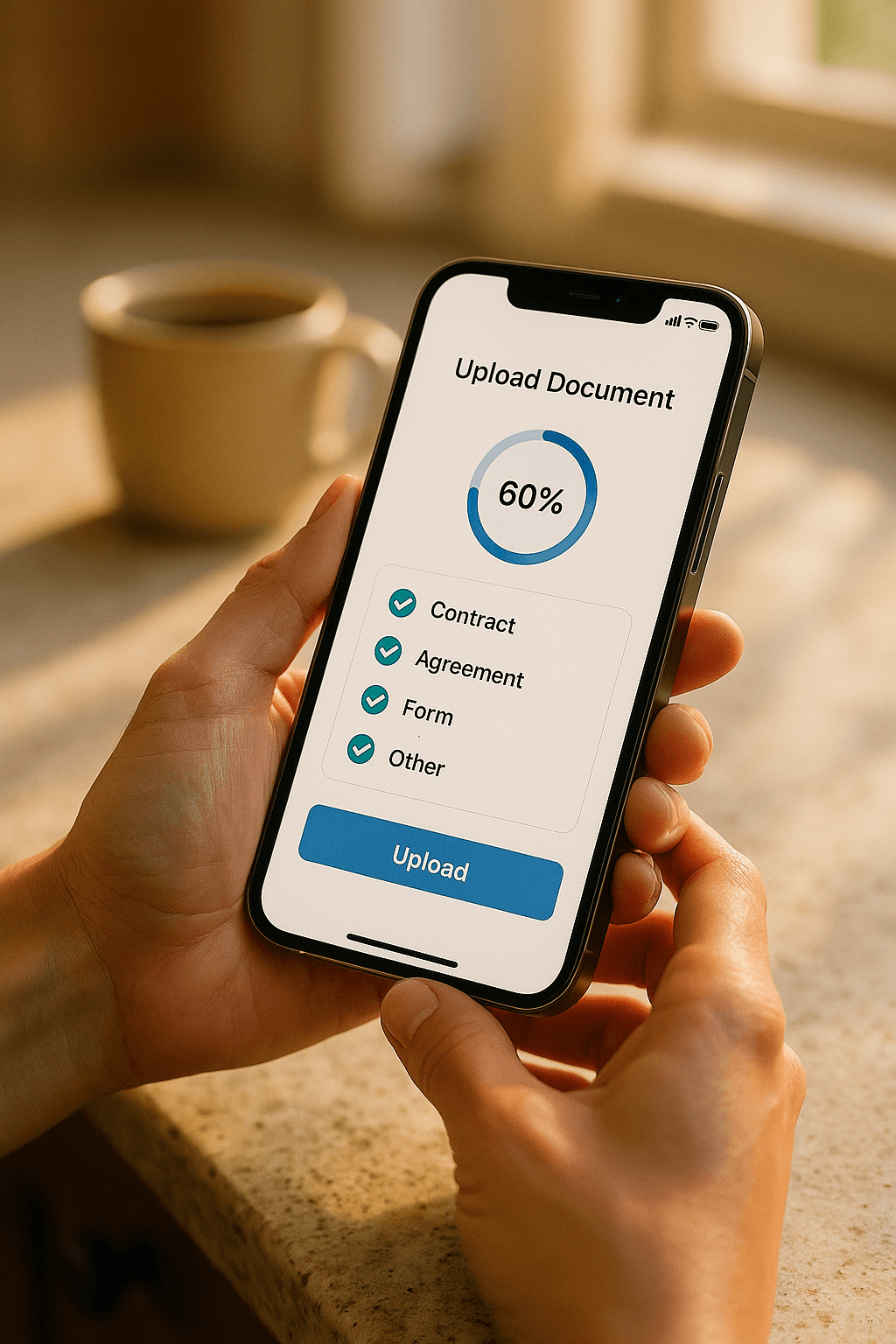
On mobile, clients can photograph documents directly with their camera — the portal guides them on how to capture each document type clearly. Upload progress saves automatically, so they can complete intake in multiple sessions across multiple devices without losing any progress.
Key Benefits
- Zero login friction — link-only access, no account required
- Mobile-first design that works on any device
- Native camera capture with photography guidance
- Auto-saves progress — complete across multiple sessions
- Built-in FAQ and document help for each item
- Works on iOS, Android, and all major browsers
Practice Management Integration
Your tools. Supercharged.
CaseHug isn't trying to replace your practice management software — it makes it dramatically more powerful. Clio, Smokeball, MyCase, and Lawmatics are excellent platforms for managing cases, billing, and workflows. What they can't do is make document collection effortless. CaseHug fills that gap.
When a client completes their intake, documents and data flow automatically into your connected platform. Clio matters get updated. Smokeball files receive their documents. Contact records are created. You don't touch a thing — it's all automatic. Two-way sync means changes in either system stay current.
Our integration is built using official APIs and maintained by dedicated engineers. No screen-scraping, no fragile workarounds, no breaking on update days. Just reliable, bidirectional data flow that works the way integrations are supposed to.
Key Benefits
- Native Clio integration — two-way sync
- Smokeball connector with automatic file placement
- MyCase contact and matter creation
- Lawmatics campaign and pipeline triggers
- Webhook events for any platform via API
- Zapier and Make.com support for custom workflows
Firm Dashboard
Your entire intake operation at a glance.
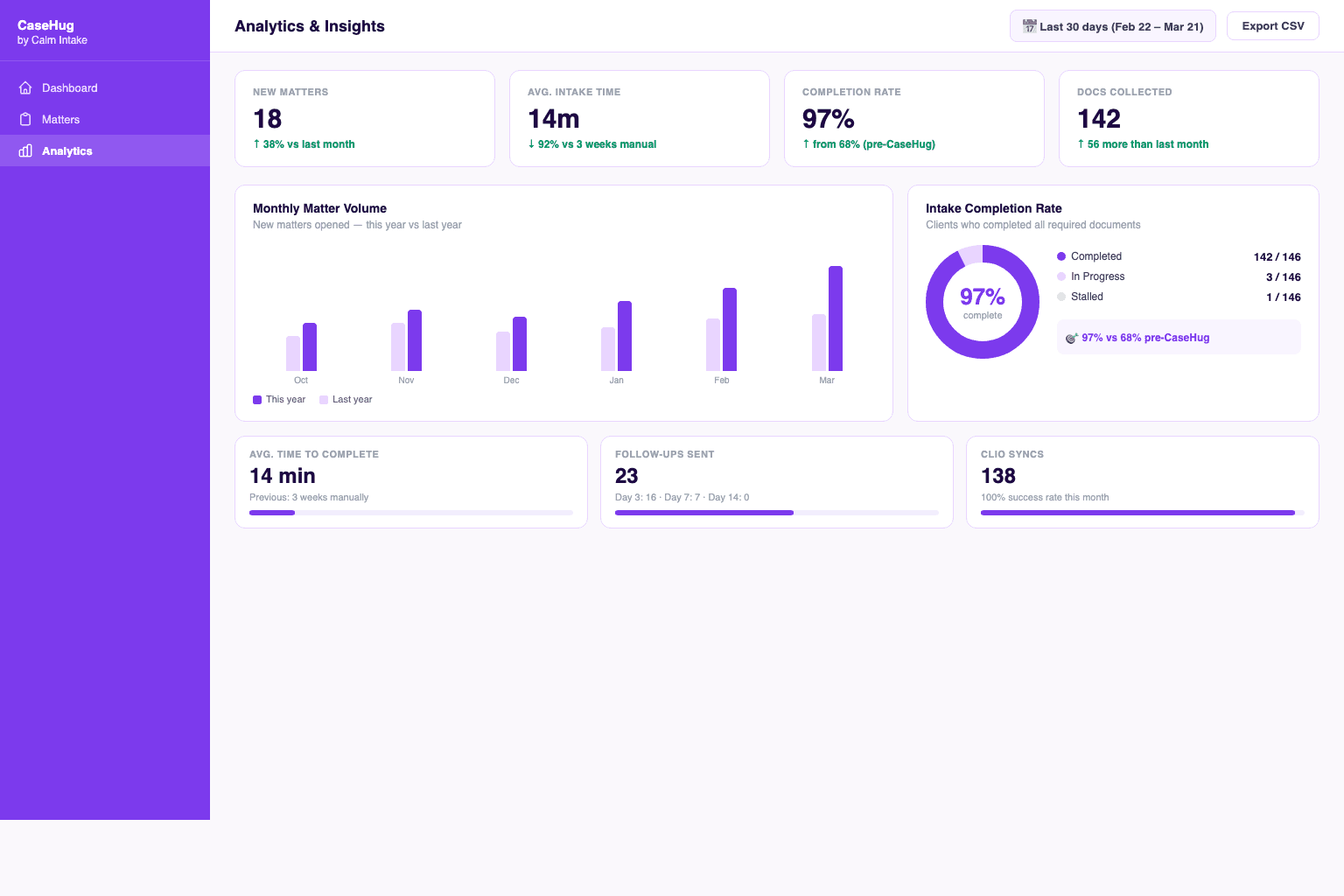
Managing intake across multiple matters, paralegals, and attorneys requires visibility you can't get from email threads and spreadsheets. CaseHug's firm dashboard gives you a real-time view of every active matter: what's been uploaded, what's pending, who's overdue, and what needs your attention today.
Filter and sort by attorney, case type, completion status, or urgency. See which clients are stuck and send a manual reminder with one click. View document completeness scores per matter. Delegate review tasks to specific team members. Everything is searchable, filterable, and actionable.
Analytics give you the data to continuously improve. Completion rates by case type. Average intake time. Drop-off points in your forms. Document rejection rates. Over time, you'll see exactly where clients struggle — and fix it with a single template update.
Key Benefits
- Real-time view of all active intake pipelines
- Filter by attorney, case type, status, and urgency
- Document completeness scoring per matter
- Team task delegation and assignment
- Analytics: completion rates, timing, drop-off points
- Export data to CSV for custom reporting
Automated Follow-ups
Stop playing phone tag. Forever.
Sending a client their intake link is the beginning, not the end. Life happens. Links get buried in email. Clients mean to get to it but forget. Without follow-up, your completion rate drops to 60-70%. With the right follow-up, it can hit 95%+.
CaseHug automatically sends follow-up reminders on Day 3, Day 7, and Day 14 if a client hasn't completed their intake. Reminders go via SMS and email (your preference, per client), with personalized messages that reference their specific matter. They're not generic spam — they're contextual nudges.
You control the entire cadence. Set custom delays. Write your own message templates. Configure different sequences for different case types. Mark clients as exempt from reminders when needed. And get real-time notifications when a client finally completes after a reminder — so you can follow up at exactly the right moment.
Key Benefits
- Automatic Day 3, 7, and 14 reminder sequences
- SMS and email reminders (per-client preference)
- Personalized messages referencing their specific matter
- Fully customizable sequences per case type
- Real-time notifications on completion
- Never-email opt-out controls for client preferences
Jurisdiction Intelligence
California law isn't Texas law. We know the difference.
Document requirements vary dramatically by state, county, and case type. A family law matter in California requires different case documents than New York. Personal injury claims in Texas have different statute of limitations and documentation requirements than Florida. Getting this wrong wastes time, delays your case, or worse — creates malpractice exposure.
CaseHug's jurisdiction intelligence layer automatically adjusts document checklists and intake forms based on the matter's jurisdiction. When you create a matter for a California divorce, the system surfaces California-specific Preliminary Declaration of Disclosure requirements. Create a Texas personal injury matter, and it surfaces Texas-specific documentation.
We maintain and update jurisdiction-specific requirements for SC, NC, GA, and FL — with more states being added continuously. When state requirements change, your templates update automatically.
Key Benefits
- 4-state jurisdiction database (expanding to 50)
- Auto-adjusts checklists by jurisdiction + case type
- Regular updates as laws and requirements change
- County-level requirements where applicable
- Jurisdiction notes visible to both attorney and client
- Override capability for custom requirements
AI Document Suggestions
What you need before you know you need it.
Experienced attorneys know that a divorce matter with business ownership issues needs different documentation than a straightforward divorce. A personal injury case where the client is still treating needs ongoing record requests. These nuances take years to learn — and CaseHug's AI picks them up instantly.
As clients complete their intake, CaseHug's AI analyzes responses and suggests additional documents that are commonly needed but not explicitly requested. If a client mentions a small business in their financial disclosure, the AI flags business valuation documentation. If they indicate a pre-existing condition, it suggests prior medical records.
Suggestions are displayed as optional additions to the client checklist, with clear explanations of why the document might help their case. Attorneys review and approve suggestions before they're shown to clients, keeping you in full control of the intake process.
Key Benefits
- AI analysis of intake responses for pattern recognition
- Suggests commonly-missed documents based on case details
- Attorney approval before any suggestion reaches the client
- Learns from your firm's specific patterns over time
- Reduces back-and-forth by catching gaps early
- Plain-English explanations for why each document matters
Security & Compliance
HIPAA-ready. Attorney-grade security.
Legal client data is among the most sensitive information in existence: financial records, medical history, immigration status, criminal records, family trauma. A breach isn't just a PR problem — it's potential malpractice, bar complaints, and regulatory fines. CaseHug treats security with the gravity it deserves.
All documents are encrypted with AES-256 at rest and TLS 1.3 in transit. Client portal links are time-limited and single-use. Access logs track every view, download, and share at the document level. Data retention policies automatically delete files per your firm's schedule. Our infrastructure is hosted on SOC 2 Type II certified platforms.
We sign Business Associate Agreements (BAAs) with all law firms, making us a HIPAA-covered business associate. Our security posture is reviewed annually by independent auditors. When clients ask if their data is safe, you can tell them exactly what protects it.
Key Benefits
- HIPAA compliant — BAA signed with all firms
- AES-256 encryption at rest, TLS 1.3 in transit
- Time-limited, expiring client portal links
- Full audit trail: every access logged with IP and timestamp
- Configurable data retention with auto-delete
- Annual third-party security audits
Webhook System
When something changes in CaseHug, your other tools know instantly.
In plain English: webhooks are automatic notifications that connect your software. When a client uploads a document or completes intake, CaseHug instantly tells your other apps — no manual syncing, no API polling, no delay. Think of it like a group text between your tools: CaseHug sends the update, everyone stays in the loop.
Every significant event in CaseHug fires a webhook: matter created, document uploaded, intake completed, reminder sent, document approved. Webhooks deliver a detailed JSON payload to any endpoint you configure. Build custom automations, trigger external workflows, or update your internal systems in real-time.
The REST API gives full programmatic access for custom integrations. Create matters, retrieve documents, update statuses, and manage users — all via a clean, documented API with JSON responses. Rate limits are generous, and we offer a test mode with simulated events for development.
Key Benefits
- Real-time webhooks for every significant event
- Detailed JSON payloads with full matter and document context
- Full REST API with comprehensive documentation
- Test mode with simulated webhook events
- Retry logic with exponential backoff on delivery failures
- Developer dashboard for webhook monitoring and replay
See every feature in action.
Start your free 14-day trial and experience the difference in your first week.